

Configure APNs
Apple Push Notification service (APNs) is required to send push notifications to iOS devices. To enable iOS delivery, Entrig needs your APNs key and a few identifiers from your Apple Developer account.
What you’ll need
- An Apple Developer account (paid, $99/year)
- Your APNs auth key (a
.p8file), found in Apple Developer under Certificates, Identifiers & Profiles > Keys - Your Key ID, Team ID, and app Bundle ID
Connect
The Entrig dashboard has two tabs: Production and Sandbox. We recommend configuring both. Production is for App Store and TestFlight builds, Sandbox is for development builds run via Xcode.
-
Select the environment tab
Choose Production or Sandbox depending on which environment you are configuring.
-
Upload your P8 key file
Upload the
.p8file downloaded from Apple Developer. -
Enter your Team ID, Bundle ID, and Key ID
Fill in the three fields. All are found in your Apple Developer account.
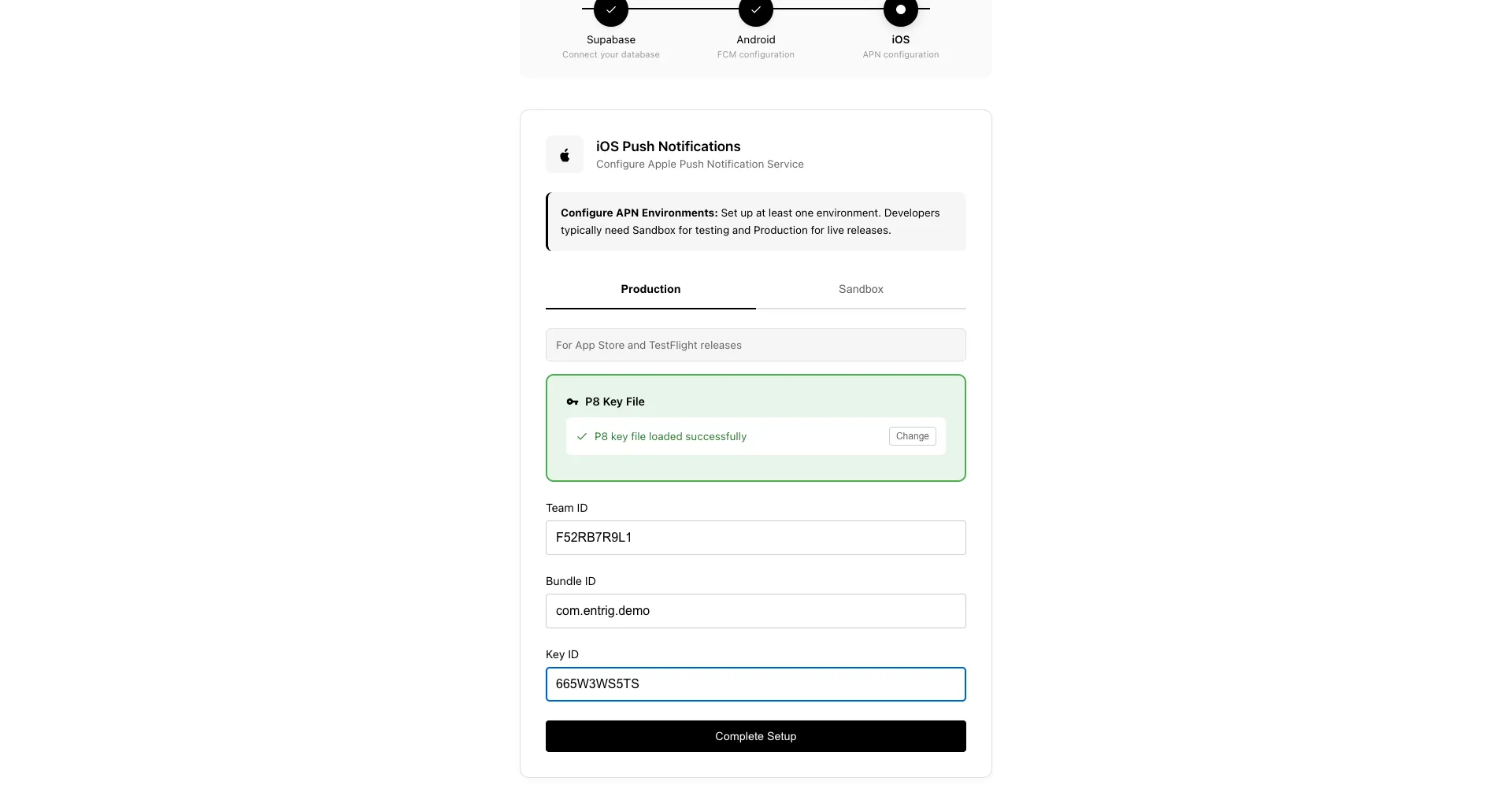
Click Complete Setup. You can now integrate the SDK and test push notifications.