

Test Push
Before creating your first notification, use Test Push to confirm that your SDK integration and push credentials are set up correctly. It sends a real notification directly to a device, with no database trigger involved.
Go to Test Push in the sidebar to open it.
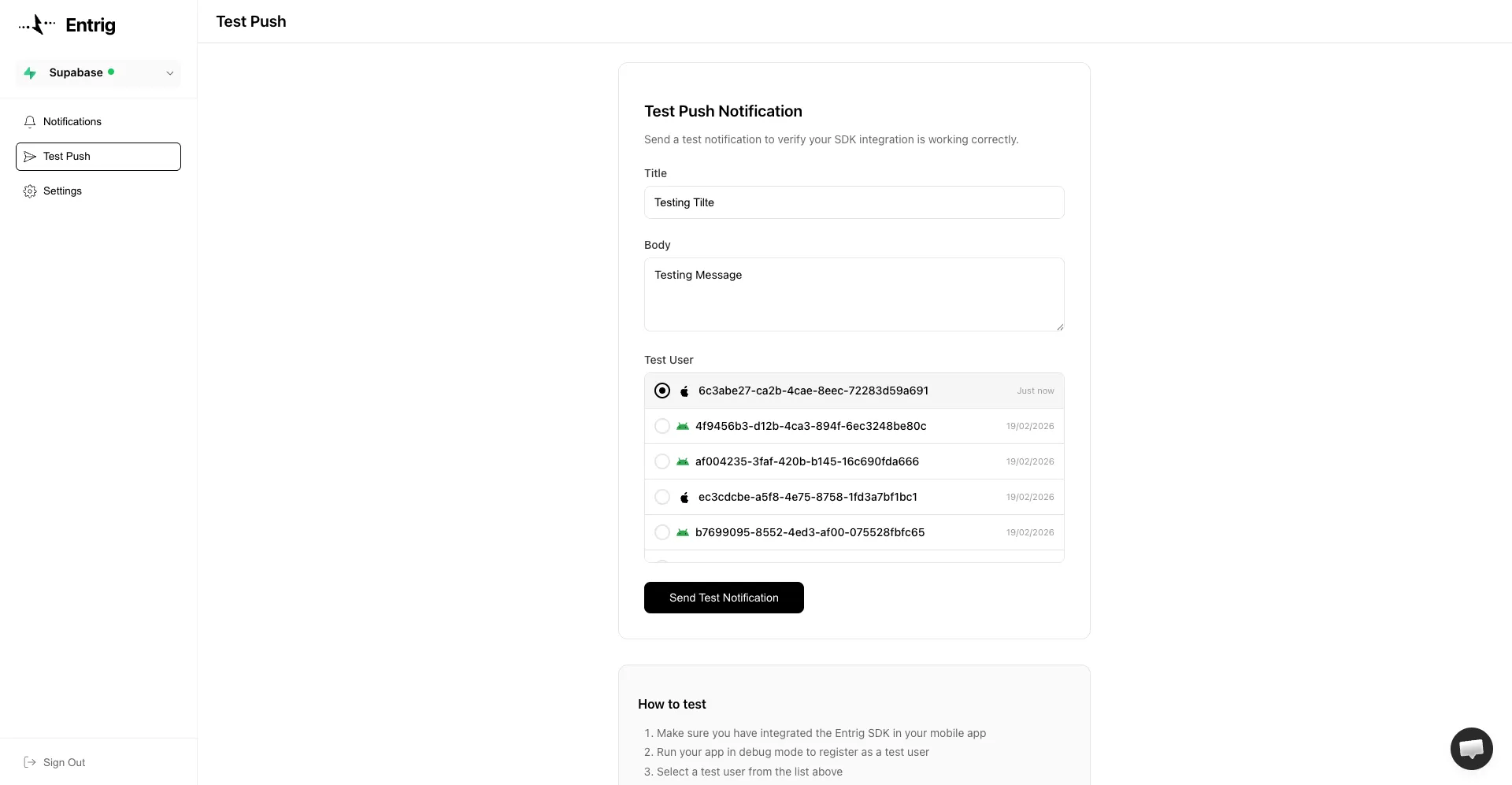
How it works
- Integrate the Entrig SDK in your app and call
Entrig.register(userId: ...) - Run your app in debug mode on a device or simulator
- The device appears in the Test User list in the dashboard
- Select it, enter a title and body, and click Send Test Notification
The notification is sent immediately to that device using the same FCM or APNs credentials you configured in Setup.
Test users only appear when the app is running in debug mode. This ensures test notifications are never accidentally sent to production devices.
What the test user list shows
Each entry in the list is a device that has registered with Entrig. The icon indicates the platform:
- Android icon: registered via FCM token
- Apple icon: registered via APNs token
The timestamp shows when the device last registered.
If the list is empty, your SDK is not yet registering devices. Check that you have called Entrig.register(userId: ...) after initializing the SDK and that the app is running in debug mode.
iOS note
Test notifications to iOS devices always use the APNs Sandbox environment. Make sure you have configured APNs Sandbox credentials in Setup and that your app build is signed for development.
Troubleshooting
No test users appear
- Make sure the SDK is initialized before calling
Entrig.register() - Make sure the app is running in debug mode, not a release build
Notification not received on Android
- Confirm FCM credentials are uploaded in Setup
- Check that the device has an active internet connection
Notification not received on iOS
- Confirm APNs Sandbox credentials are uploaded in Setup
- Make sure the app is built and signed for development (not distribution)
- Push notifications do not work on the iOS Simulator. Use a physical device.