

Databases
Entrig connects to your Supabase projects via OAuth. You can connect multiple projects as separate environments (development, staging, production) and deploy any notification to any environment with one click. Entrig validates your schema against the target environment before deploying, so misconfigured triggers are caught before they go live.
How it works
Each Supabase project you connect becomes a database environment in Entrig. Environments share your notification configurations but have independent deployments. The same notification can be live in production while still being tested in staging.
When you create a notification, Entrig automatically deploys it to your default database. From there you can deploy it to other environments individually, with Entrig checking that the required tables and columns exist in the target database before creating any triggers.
Connecting your first database
-
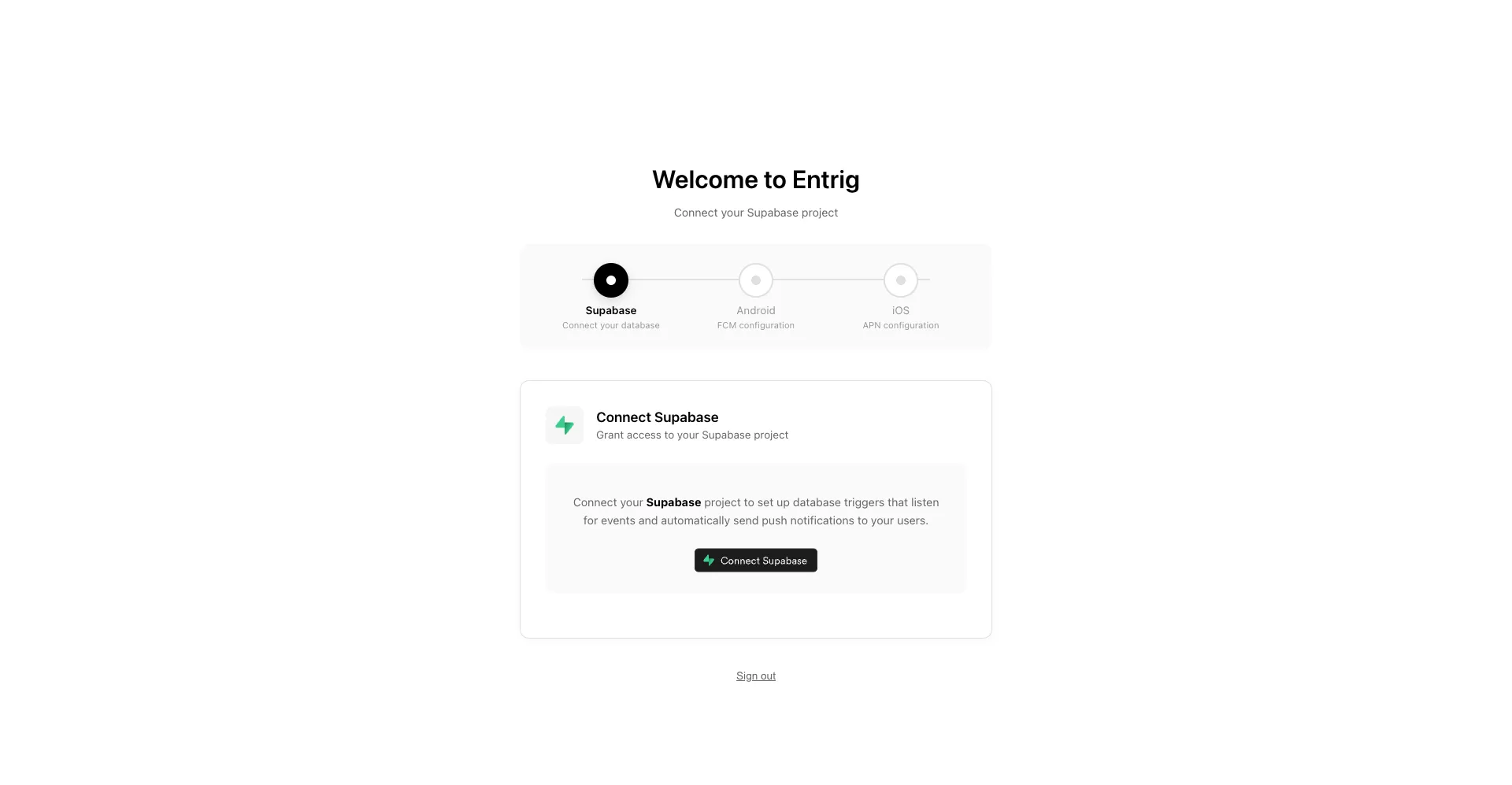
Click “Connect Supabase”
From the Entrig dashboard, click Connect Supabase. You’ll be redirected to Supabase’s OAuth authorization page.
-
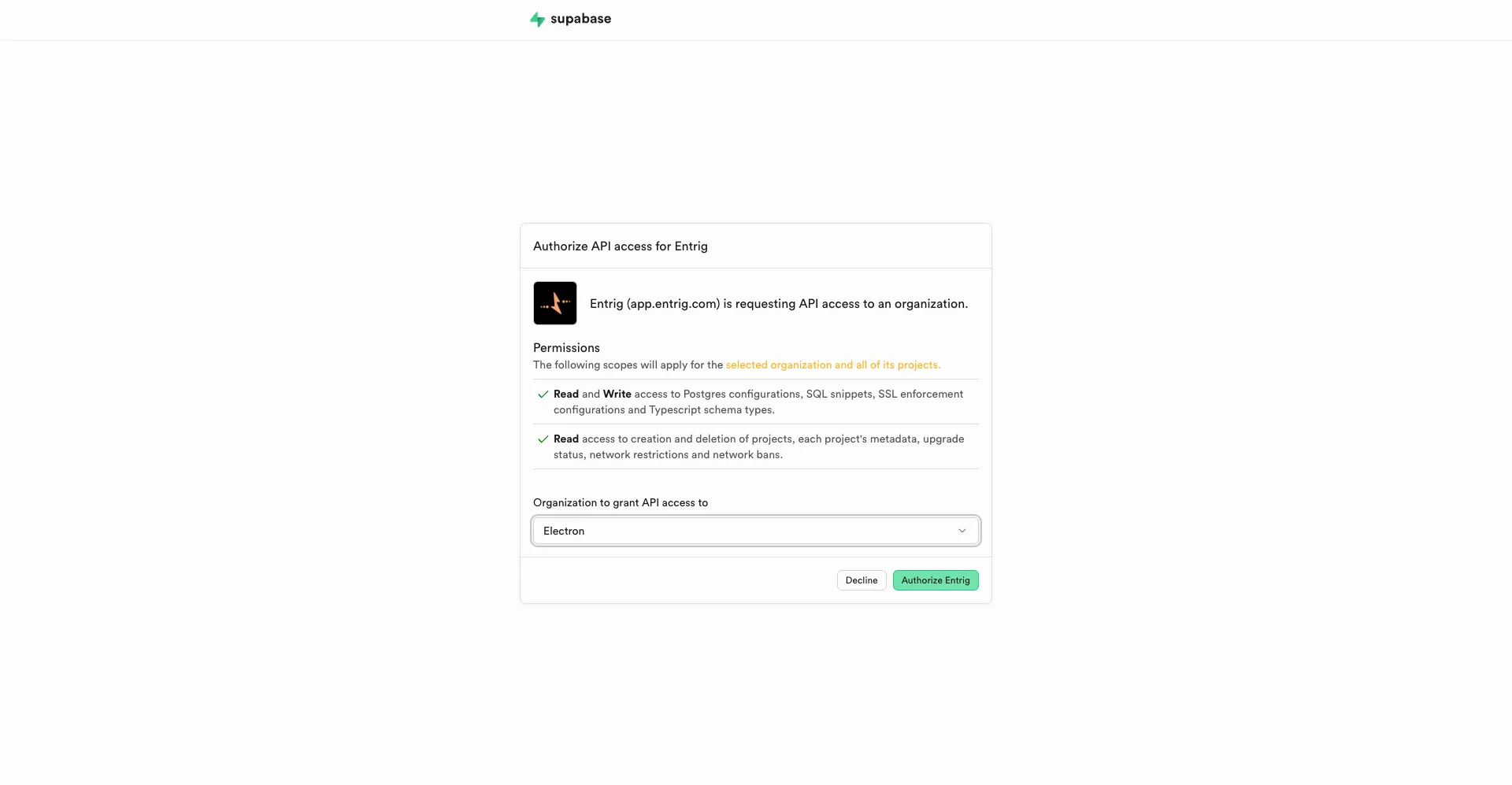
Authorize Entrig
Supabase will show you what access Entrig is requesting. Click Authorize Entrig to grant access and be redirected back to Entrig.
-
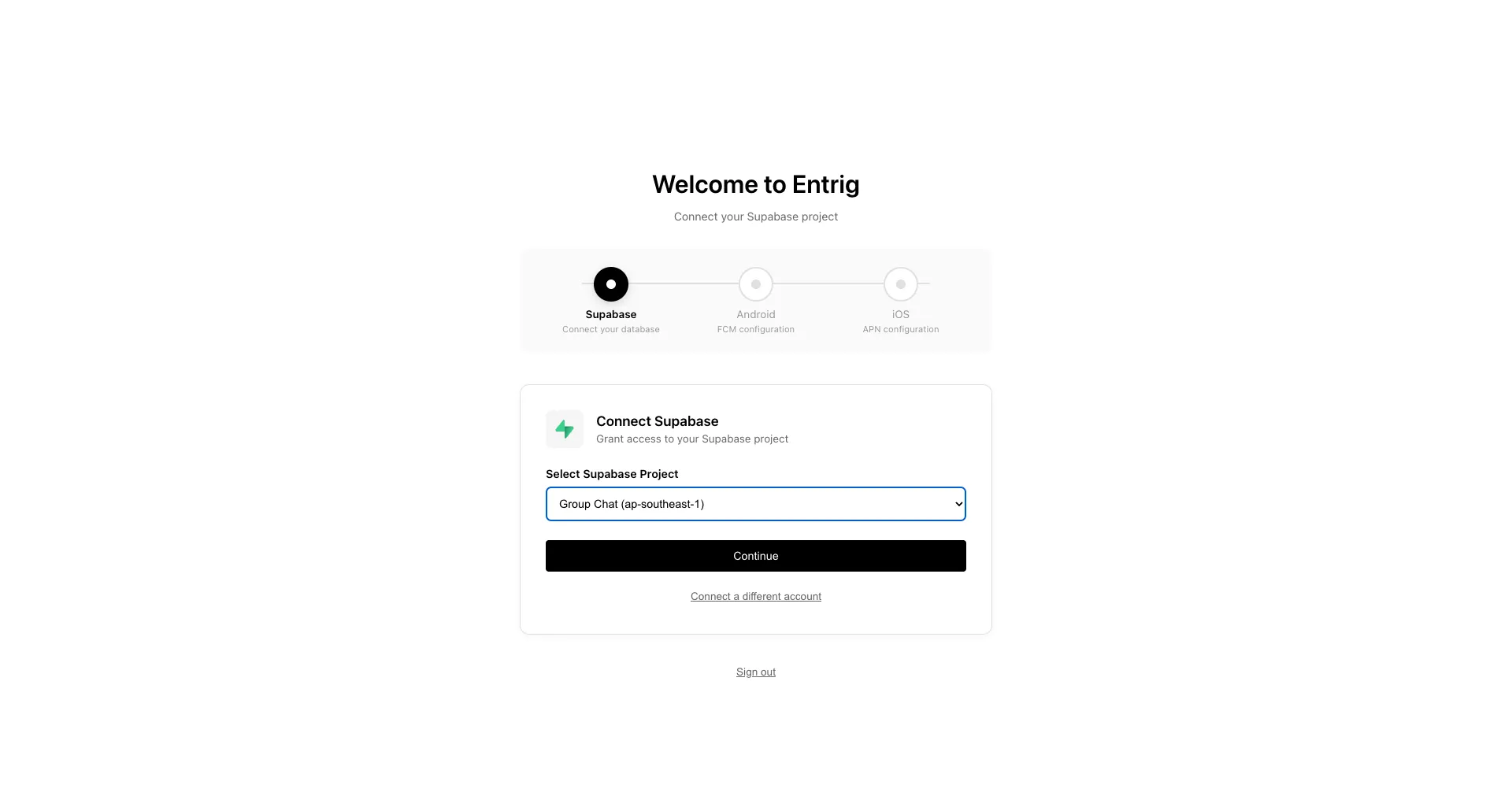
Select your project
Entrig lists all the Supabase projects on your account. Select the one you want to use and click Continue. This becomes your default database.
Adding more environments
Additional environments require a Pro plan. On Pro you can connect up to 3 Supabase projects.
Go to Settings → Database and click + Add.
Same Supabase account
If the project you want to add is in the same Supabase account, Entrig reuses your existing OAuth session. Your other projects are listed automatically. Just pick one and give it a name.
Different Supabase account or organization
If the project is under a different Supabase account, click Connect from a different account. Entrig opens a new OAuth flow so you can authorize that account separately. The credentials are stored independently from your primary connection.
The default database
Every Entrig project has exactly one default database. The default is the primary environment Entrig uses:
- New notifications deploy here automatically when you create them.
- Notifications fire from here as long as it is the default.
You can change the default at any time from Settings → Database by clicking Set default on any connected environment.
Plan downgrades
If you are on Pro with multiple environments and downgrade to Free, Entrig continues sending notifications configured for the default database only. Non-default environments are retained but inactive, so no new triggers fire from them until you upgrade again or change which environment is default.
Schema validation on deploy
When you deploy a notification to an environment, Entrig checks the target database for every table and column your notification config references: trigger table, payload columns, recipient identifier fields, FK paths, and event conditions. If anything is missing, Entrig surfaces the specific issues before creating any triggers, so you can fix your schema or adjust the config without leaving a broken trigger in place.
Health checks
Each connected database shows a live health status in Settings → Database:
| Check | What it verifies |
|---|---|
| Database | Entrig can reach the project |
| pg_net extension | HTTP calls from triggers are possible |
| Vault extension | Notification keys can be stored securely |
| Entrig setup | Schema, tables, functions, and trigger processor are installed |
If any check is red, use Reconnect on the project to auto-repair the missing components.
Troubleshooting
”No projects found” after authorizing
Cause: Your Supabase account has no projects, or you authorized with the wrong account.
Fix: Make sure you’re signing into Supabase with the account that owns the project you want to connect.
Tables aren’t showing up
Cause: Your database may have no tables in the public schema.
Fix: Create at least one table in Supabase before connecting, or check that your tables are in the public schema.
Environment stuck on “Checking…”
Cause: The health check timed out or the project is paused (Supabase pauses free-tier projects after inactivity).
Fix: Wake the project from your Supabase dashboard, then click Retry in Entrig.
”Failed to enable pg_net” when adding an environment
Cause: The pg_net or vault extension could not be enabled on the target project. This can happen if the project is on a Supabase plan that restricts extensions.
Fix: Enable pg_net and supabase_vault manually in your Supabase dashboard under Database → Extensions, then try connecting again.